
Last year, I wrote a guest post describing how I used AI to create a set of poll worker training flashcards. The Canva template for those cards is still available. This year, I wondered: Why not create a virtual version that poll workers, voters, and anyone else interested in elections in my jurisdiction could use?
Using Claude Code, I built a digital version with the exact same cards and the exact same design, now something people can easily play on their phones. I also saw the project as a chance to build my skills. I am not a coder, but I do have private sector experience working with product management teams, and that turned out to be useful in describing what I needed to the AI tool.
After building our own version, I decided to make a tool that would let other jurisdictions create their own training flashcards. You can find it at flashcardmaker.electionadminsuite.com. The free tool lets you build custom flashcards with your own logo, background color, and text color. It also includes downloadable instructions for hosting your finished deck for free on GitHub, along with a few other options.
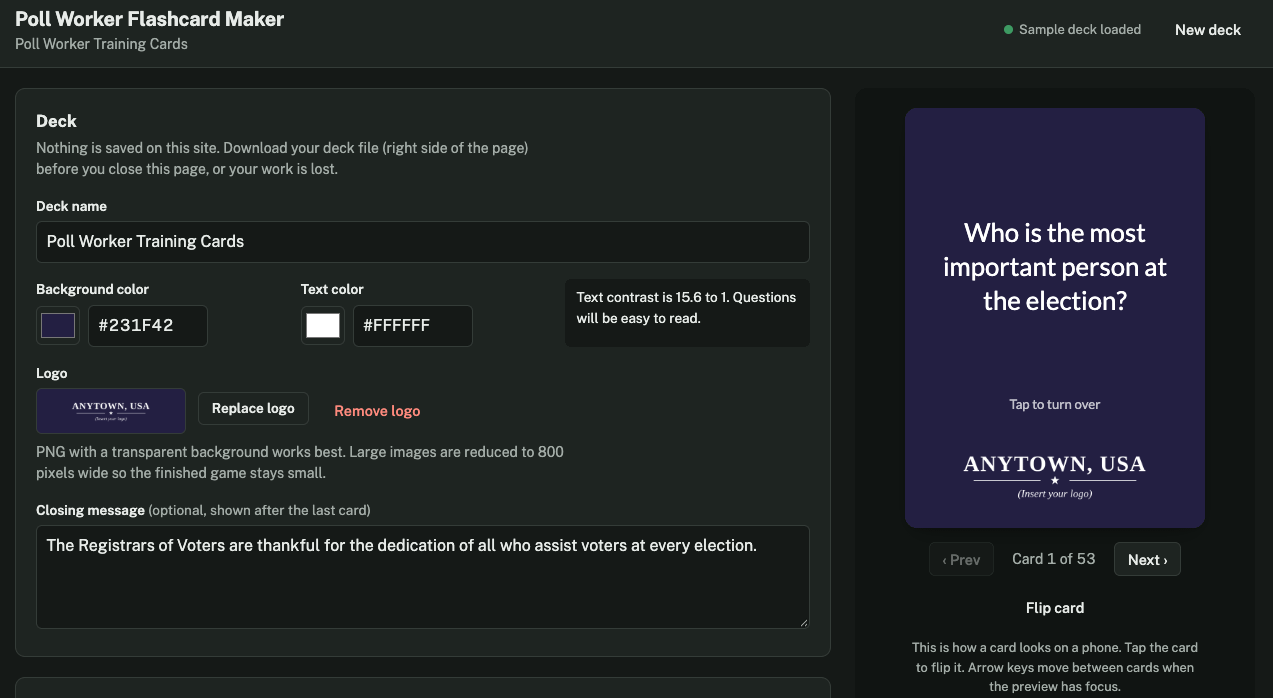
The Flashcard Maker doesn’t store any of your data. Instead, you back up your work to a file and load it back into the tool whenever you’re ready to keep working. That same backup file is also the file you use to run the game on GitHub, so there’s only one file to keep track of.
What I learned
The first time I built something with Claude Code, I ended up building version after version after version. After working with it a little longer, I started telling it to enter planning mode first. We would discuss what I needed and wanted to do, it would come back with a plan, and then it would carry out that plan. That turned out to be a far more efficient and effective way to use the tool.
I was also excited to discover that GitHub, which is owned by Microsoft, could not only hold the code but also host the site for free.
Prompts in Practice
Use Case/Purpose
Converting a printed poll worker flashcard deck into a phone-friendly game, and building a free tool that lets other election offices create, brand, and host their own flashcard decks
Source
The Greenwich Poll Worker Training Cards (52 cards produced last year from official Greenwich Registrars of Voters training materials)
AI Tool Used
Claude Code
Example Prompt
I'm an election official, not a coder. I want to build a free, phone-friendly flashcard game for poll worker training, plus a simple tool other election offices could use to make their own decks.

Before you build anything, use plan mode and interview me, one question at a time.

Start by asking whether I already have a card deck, such as a Canva template, a spreadsheet or a printed set, and how I can share it with you.

Then ask about my logo and brand colors, how I want the game to play, and where I plan to host it. When you have enough, show me a plan. Don't write any code until I approve it.

Keep it to single, self-contained web files with no server and no stored data, and use my card wording exactly as written.
AI Use Safety Signal
🟢 Green (Go)
This use case is a productivity task. The card content was already reviewed for accuracy before printing; the AI was used to build the software that displays it, not to generate new election information. Jurisdictions using the Flashcard Maker supply and review their own content. The Flashcard Maker stores no user data; each office keeps its own deck file.
If you decide to try the Flashcard Maker, I’d love to hear about your experience so I can keep improving it. I can be reached at [email protected].
Originally posted on the AI and Elections Substack, October 14, 2026. Read the original ↗